

If you are considering moving your website to the Cloud, here are three important acronyms to wrap your head around (IaaS, PaaS and SaaS).
These are the three main types of cloud computing.
You’ve probably heard of them before; they’re all experiencing a surge in popularity as more businesses move to the Cloud.
The Key Differences Between On-Premise, SaaS, PaaS, IaaS
Not so long ago, all of a company’s IT systems were on-premise, and clouds were just white fluffy things in the sky.
Now, you can utilize the Cloud platform for nearly all your systems and processes.
SaaS, PaaS, and IaaS are simply three ways to describe how you can use the cloud for your business.
- Infrastructure as a Service (IaaS): Cloud-based hardware services such as storage, networking, and virtualization.
- Platform as a Service (PaaS): Software tools available over the internet. The user didn’t have a headache setting up the tools from scratch. Just pick the tools and start building.
- Software as a Service (SaaS): Software that’s available via a third party over the internet. The user just focuses on the content.
- On-premise: Hardware and software that’s installed in the same building as your business.
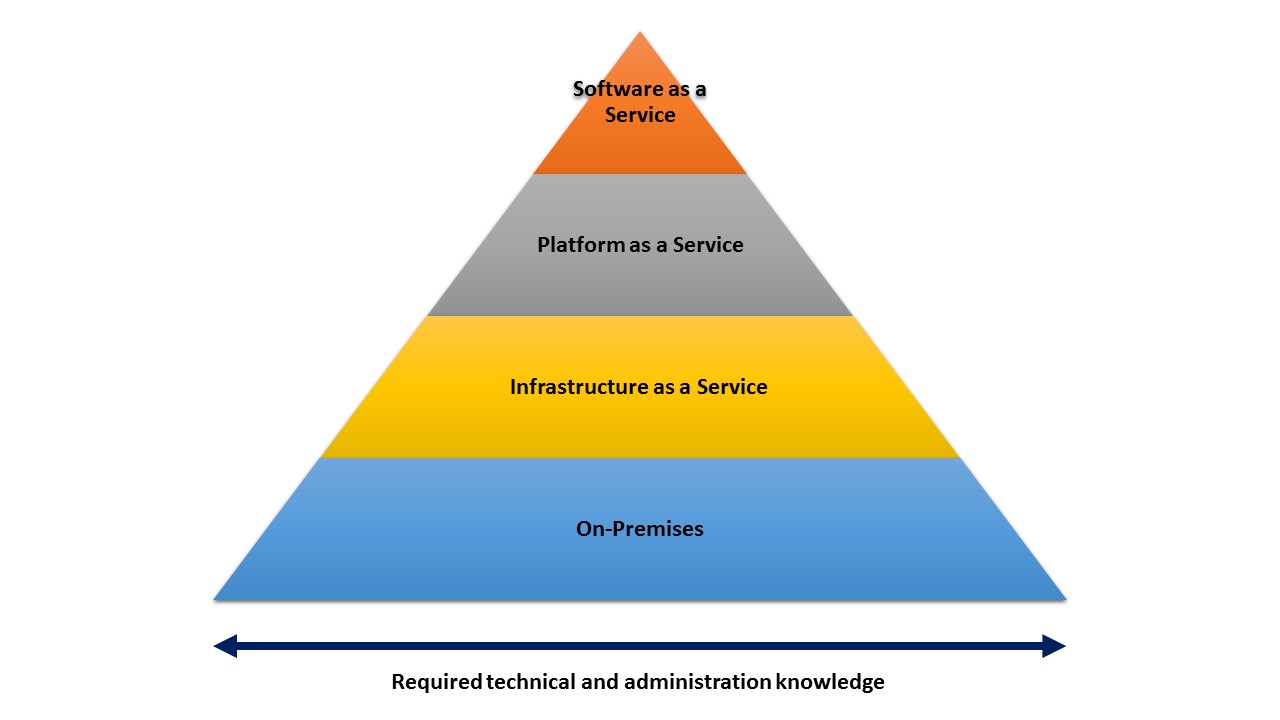
Below is the visual representation of the difference between cloud services.
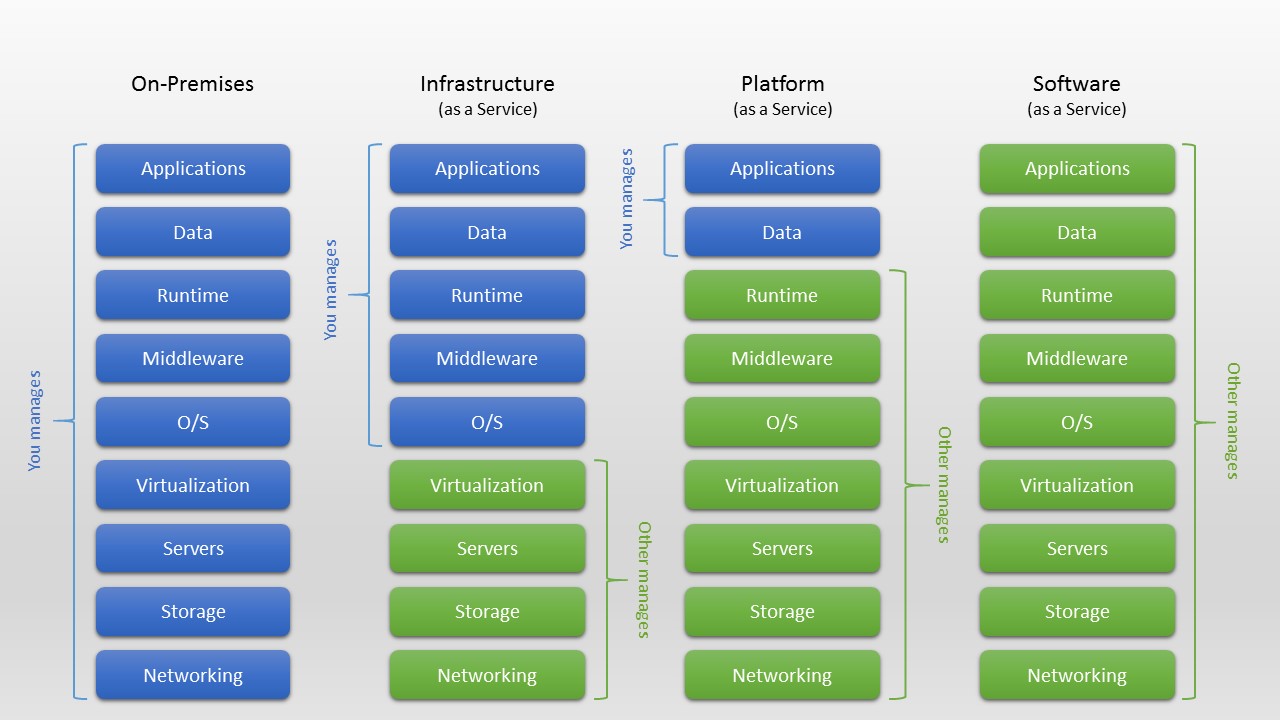
Examples of IaaS, PaaS and SaaS
There is a lot of example of these cloud services. However, in this entry, I’ll use the website as an example.
Traditional on-premises website setup.
If you are not very tech-savvy and have a big business, you would like to hire an IT professional that helps you to set up a website. Later, your IT professional will come with a paper of proposal to buy a server and subscribe an Internet connection directly to your office. Then he will do a setup from scratch until the website is up and ready to serve your business website. This would take about 3-4 months.
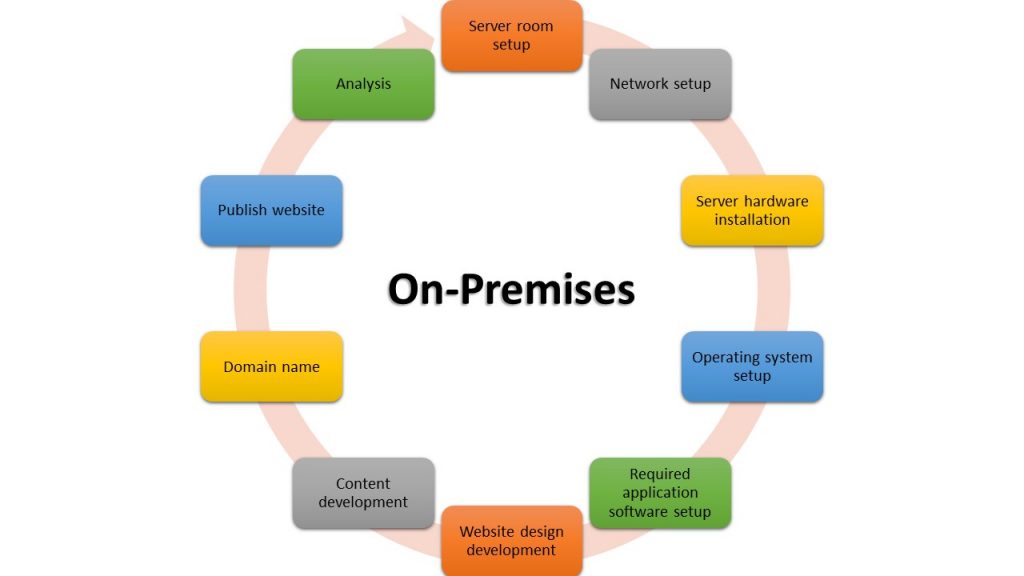
Just imagine when you want to do some upgrade.
Infrastructure as a Service (IaaS)
Your IT professional might like this. It reduces the overhead of setting up the server, electric bills, managing digital storage, backups, and the list that will be going on. The easiest way to explain it is that you didn’t have to worry about all the physical computer servers that were placed in your building. It’s all taken care of by the cloud provider. Use only that you want to use. Do you only want 250 GB of storage? No problem. Have a big junk of photos that needs to be digitally stored? Cloud provider can arrange 10TB of storage for you. Just order it by one click (actually several clicks; less than five, I’m exaggerating here 😊), you have it extra 10TB in your server. Where is your server? Not in your server room, it is somewhere in the white fluffy in the sky.
IaaS offer your IT professional the flexibility to manage your website resources and the upgrading process would be seamless. Just like changing your internet broadband plan at home.
Pro
- Flexibility to manage resources
- Pay peruse. Pay more to get more resources and vice versa
Cons
- Require IT professional
- Patches and software upgrades need to be handled by them
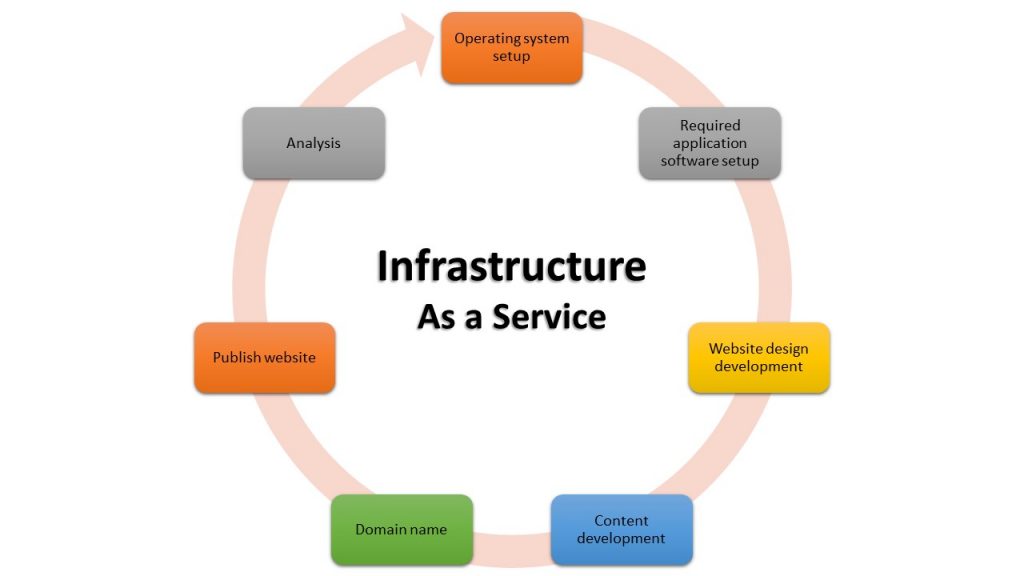
Example of IaaS: TM ONE Cloud Alpha Edge, AWS EC2
Platform as a Service (PaaS)
In your business, you only have an IT intern. This intern only knows how to use the software tools. They might not know how to set up the website, database and so on but they know how to use it. They can build the website; they can connect the website to the database and they know how to build the report from the database. Basically, they are just a user-level, not the admin level.
PaaS might suitable for you. PaaS offer software tools over the shelf. Just pick which software that you like to use and it’s ready to deploy.
Pro
- Ready to use software tools for development
- Doesn’t require extensive knowledge on setting up the software tools
- Software tool patch and upgrade automatically updated.
Cons
- Limited on software configuration and optimisation.
- Unique software deployment architecture might not suitable to use PaaS
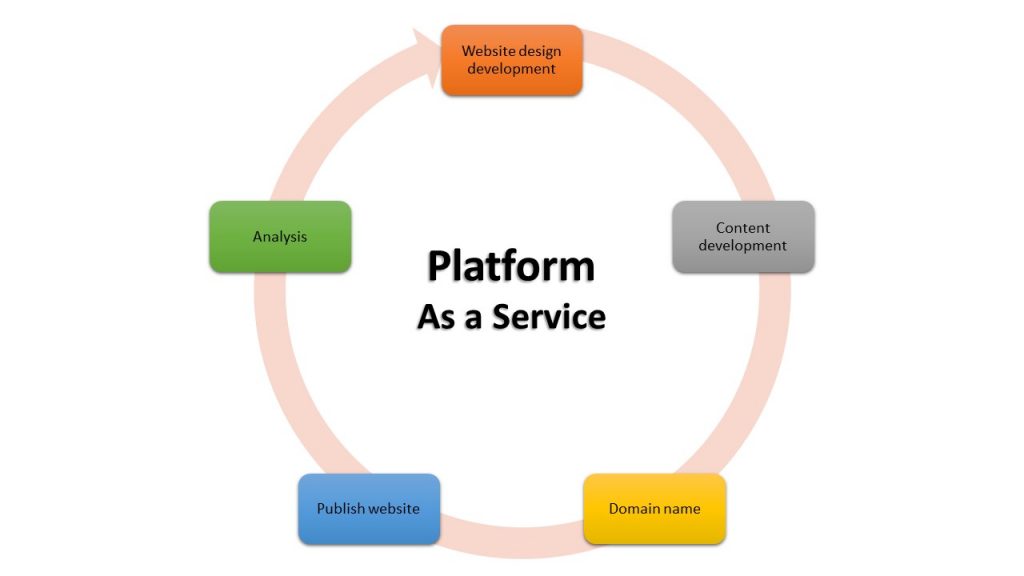
Example of PaaS: TM ONE Cloud Alpha Edge, AWS Elastic Beanstalk
Software as a Service (SaaS)
This cloud service is suitable for small businesses. Maybe you also a one-man show. A CEO (Chief of Everything). To learn everything from the ground about building a website might be impossible. Then the only option for you to have is SaaS. Just use the website builder that is available in the market and focus on the content that you want to show on the website. Website builders nowadays are also not dependent on the code anymore. You can just drag and drop the element that you want to use for your content and then publish your website. Easy as it is.
Once your business grows bigger, then you can hire an IT staff to take care of your website and optimise it to its specific needs either using PaaS or IaaS.
Pro
- Eliminate system development and deployment process
- Focus on the website content
- The faster website publishes on the internet.
Cons
- Not flexible
- Upgrading to a certain extend might cost more than IaaS and PaaS offerings.
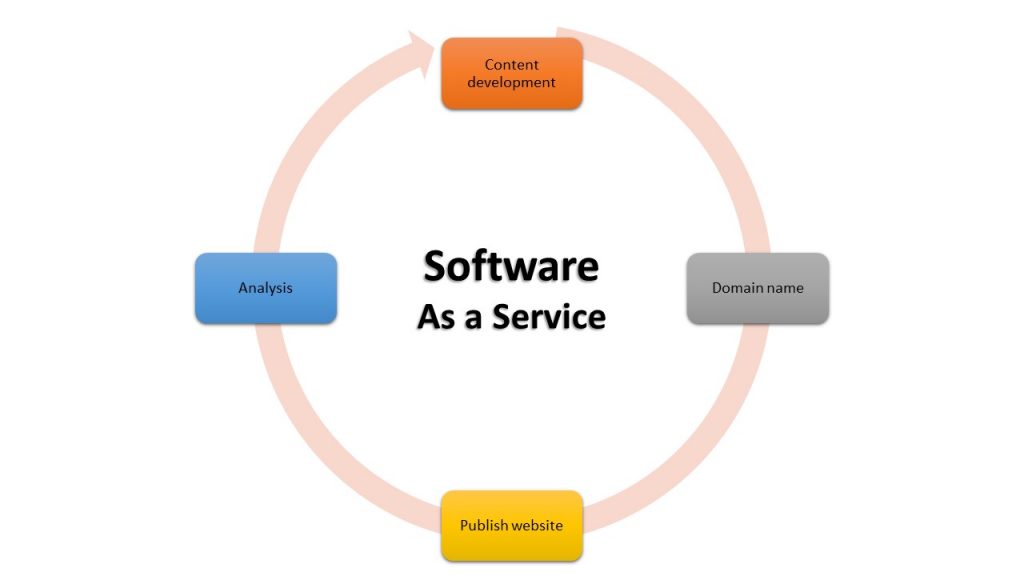
Example of SaaS: Exabyte Instant Website Design, SaaS e-commerce platform
Executive summary
The increasing popularity of IaaS, PaaS, and SaaS is reducing the need for on-premise hosting. Each of these cloud computing server models give users choice, flexibility, and options that on-premise hosting simply cannot provide. Some cloud computing server models are more complicated than others. The level of system administration knowledge increases as you go down the list in this order:
Let’s recap.
What are the differences between IaaS, PaaS, and SaaS?
- IaaS is there to provide you with maximum flexibility when it comes to hosting custom-built websites, as well as providing a general data centre for data storage.
- PaaS is most often built on top of an IaaS platform to reduce the need for system administration. It allows you to focus on website development instead of infrastructure management.
- SaaS offers ready-to-use, out-of-the-box solutions that meet a particular business need (such as a website or email). Most modern SaaS platforms are built on IaaS or PaaS platforms.
You might choose to start with one cloud computing service model or find a need for all three: that depends on the size and complexity of your business.

Innovative leader with over 10 years of experience in telecommunication network operation. Most skilled in software engineering and development. Have experience on RADIUS development including its own ecosystem for 9 years.
With a dream to benefit others more, he moved on to people development training. Currently giving training for people to get know their personality thus improving their communication skill with others.
- What is cloud computing? - 24/11/2021
- IaaS vs PaaS vs SaaS: What you need to know - 25/08/2021
- Copy your surrounding object make your creative work easier - 20/05/2020


One Response